Contract cleaning
Prove every clean, on every site, every shift.
Cleaners clock in by GPS or QR, scan each area and take a photo. Supervisors inspect and score on a phone, relief is sent the moment someone does not arrive, and clients get a monthly proof-of-service report.
- GPS and QR clock-in
- Photo proof per area
- Monthly client reports
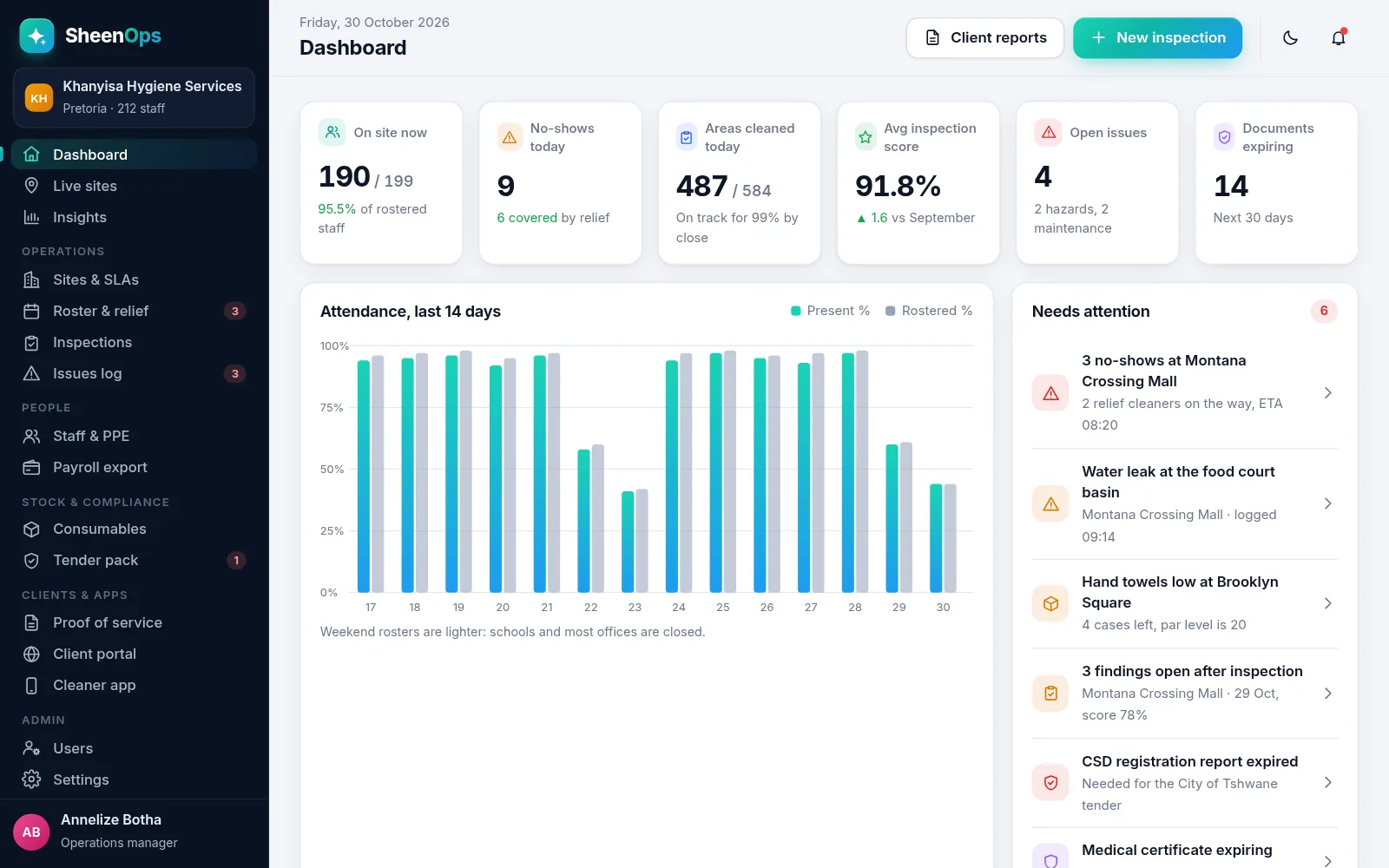
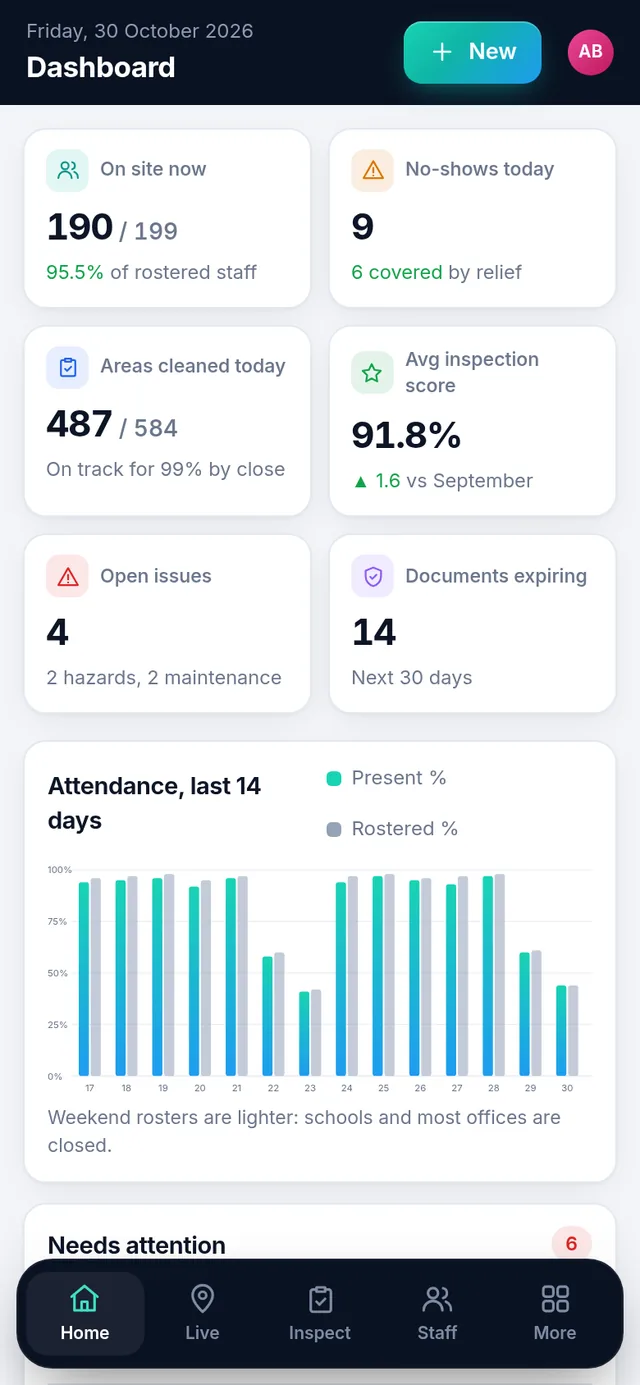
What SheenOps does
Modular: switch on only the parts you need.
GPS and QR clock-in
Cleaners clock in on their phone inside the site boundary or with the site QR code. Late and no-show alerts reach you before the client notices.
Area scans with photo proof
Scan the area QR, tick the tasks and take a photo. Every clean is timed, placed and photographed.
Supervisor inspections
Weighted checklists, photos and findings, with client and supervisor signatures on screen and a score against the SLA.
Roster and relief cover
See who did not arrive, who is in the relief pool, and assign cover in two taps.
Monthly proof of service
A branded report per client: shifts staffed, areas cleaned, inspection scores and issues resolved, plus a client portal.
Staff, documents and PPE
Employee files, medicals, police clearances and PPE issued, with expiries listed before they lapse.
Consumables per site
Par levels, low-stock alerts and the cost of soap, paper and chemicals per site per month.
Tender and compliance pack
CIPC, tax, B-BBEE, COIDA, UIF and CSD documents with expiry dates, ready to download as one pack.
Payroll export and insights
Hours from clock-ins with overtime and Sunday hours, exported for payroll, plus trends across sites.
How it works
- Set upYour sites, areas, QR codes, rosters and SLA targets.
- Clock inCleaners clock in on site by GPS or QR, on their own phone.
- Clean and inspectAreas are scanned with photo proof, and supervisors score them.
- ReportClients see it live and get a proof-of-service report every month.
Who it’s for
Contract cleaning and hygiene companies that service offices, malls, hospitals, schools and body corporates, and the facilities managers who hire them.
Screens show sample data. Every cleaning company runs its sites, checklists and clients differently. The demo we build is shaped around your sites, your SLAs and your branding.
Full feature tour, industries and the demo form: sheenops.com (opens in a new tab).
SheenOps: common questions
Can cleaners clock in only when they are on site?
Yes. Cleaners clock in on their phone with GPS inside the site boundary or by scanning the site QR code. Anything outside the site is flagged, and no-shows are shown by 06:15 so you can send relief.
How do we prove to a client that an area was cleaned?
Every area has a QR code. The cleaner scans it, ticks the tasks and takes a photo. The time, place and photo go into the area log the client sees, and into the monthly proof-of-service report.
Do we have to use every module?
No. SheenOps is modular. Switch on clock-in, area scans, inspections, rosters and relief, staff and PPE, payroll export, consumables, client portal or the tender pack as you need them.
What does it cost, and how do we try SheenOps?
Pricing depends on what you need. We give you access to a working demo with a login to test. Enquire on WhatsApp (opens in a new tab) with how you work, as text or a voice note, and we will send you a quote.
See SheenOps built for you.
Send us your requirements on WhatsApp, as text or a voice note. Ask us for access to a working demo to log in to and test.