Occupational health
Medicals and certificates of fitness, done properly.
Add the company and its workers, run each medical from one guided form, and the documents are generated for you. Expiries show up before they lapse.
- Job-based medicals
- One place to decide fitness
- Expiry tracking
What FitForWork does
Companies and workers
Add the company, then its workers. Every medical and certificate sits under the right person.
Job-based medicals
Choose the job and the Annexure 3 matrix fills itself in.
A guided medical history
Every answer starts at No, and a Yes never makes anyone unfit by itself.
Fitness decided in one place
Findings are recorded on the form, and fitness is decided there and nowhere else.
Documents ready when the form is done
Once the form is complete, the documents are produced, signed in the practitioners’ names.
Expiries chased in time
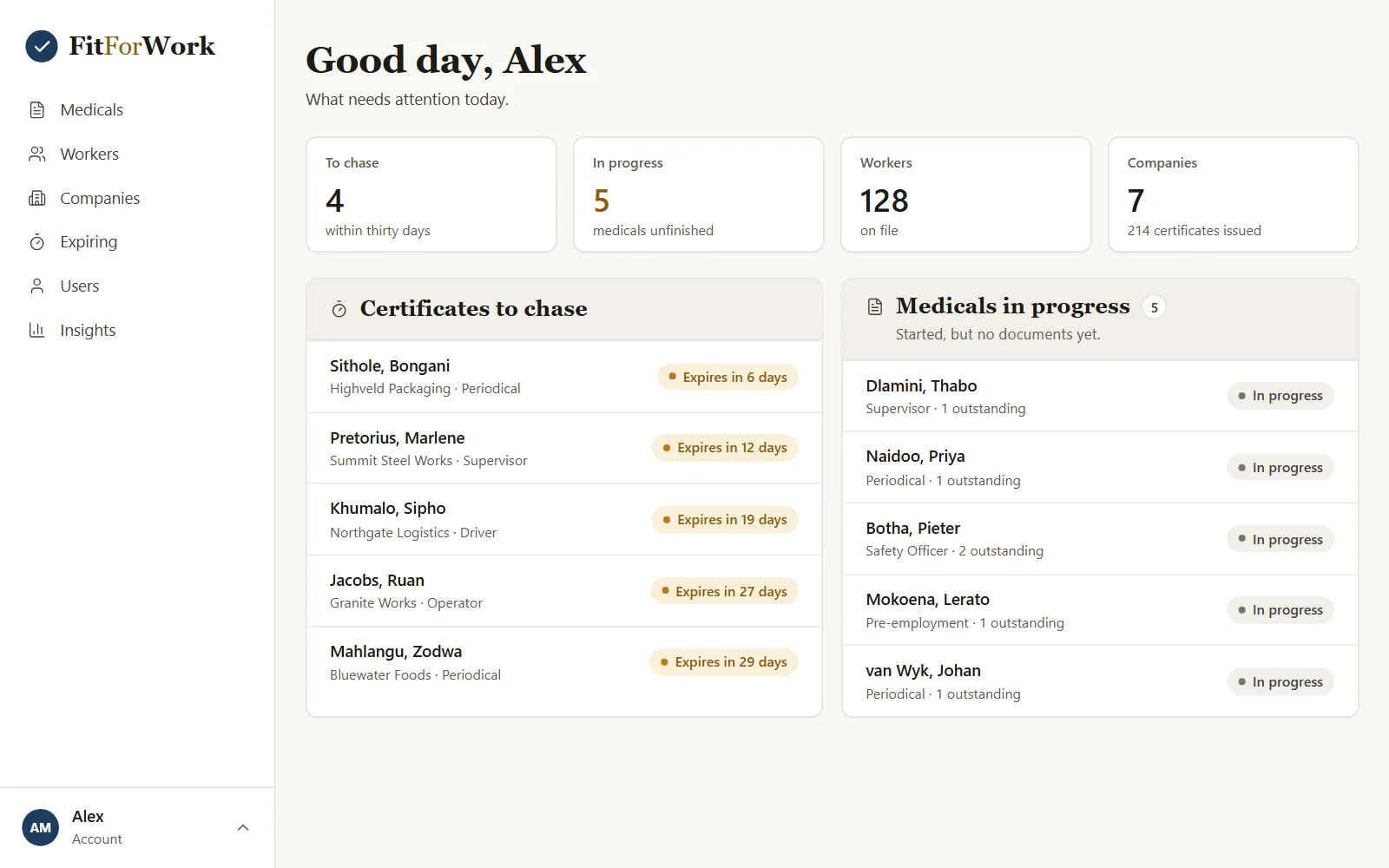
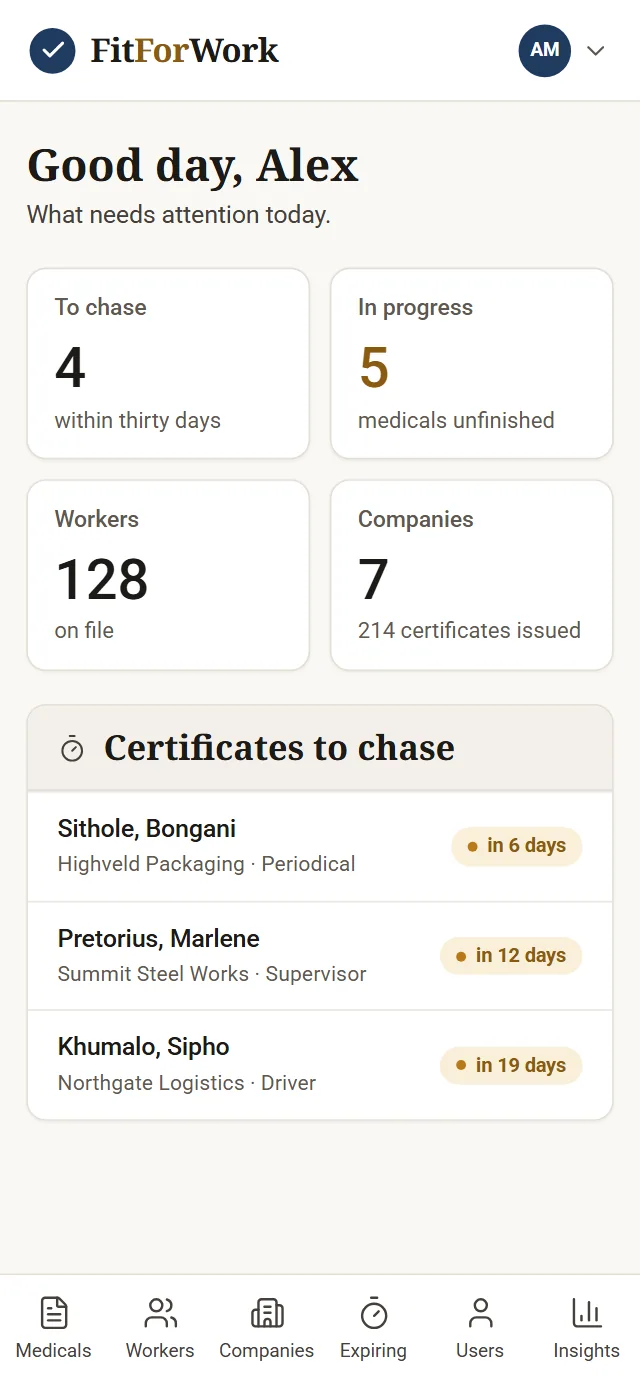
Certificates run for a year. A to-chase list fills itself as they age, so renewals never slip.
From first question to signed certificate
Keeping the company, the worker and the certificate together.
An occupational health practice may see workers from many companies, for many different jobs. Each job calls for different checks, each certificate expires, and each document has to be correct and signed. When that lives in folders and spreadsheets, renewals depend on someone remembering.
FitForWork keeps the company, the worker, the job, the medical and the certificate together. The practitioner works through one guided form, and the documents follow from it.
How it works
- AddThe company, then its workers.
- OpenA medical, and choose the job.
- AskWork through the medical history with the worker.
- RecordThe findings, and decide fitness.
- DoneThe documents are ready.
How a medical runs
One guided form, from history to documents.
Companies and workers
Add the company first, then its workers. Every medical and certificate sits under the right person, so a worker's history is in one place.
A medical for the job
Open a medical and choose the job. The Annexure 3 matrix fills itself in for that job, so the right checks are in front of the practitioner.
A guided medical history
Every answer starts at No, and a Yes never makes anyone unfit by itself. The practitioner works through the history with the worker.
Fitness decided in one place
Findings are recorded on the form, and fitness is decided there and nowhere else. Once the form is complete, the documents are produced, signed in the practitioners' names.
Expiries, chased in time
Certificates run for a year. A to-chase list fills itself as they age, so renewals do not slip. The dashboard shows the certificates to chase, the medicals in progress, the workers on file and the companies you serve.
Who it’s for
Occupational health practices and clinics that issue medicals and certificates of fitness.
Screens show sample data. Every practice has its own forms, jobs and branding. Tell us how you run a medical today, a voice note is fine, and the demo we build is shaped around it.
FitForWork: common questions
What is a job-based medical?
You choose the job the worker will do, and FitForWork fills in the Annexure 3 matrix for it, so the right checks are in front of the practitioner. Every medical sits under the worker and their company.
Does a Yes in the medical history make someone unfit?
No. A Yes never makes anyone unfit by itself. Findings are recorded on the form, and fitness is decided there and nowhere else.
How does FitForWork keep track of expiries?
Certificates run for a year. A to-chase list fills itself as they age, and the dashboard shows the certificates that need chasing, so renewals do not slip.
Can one practice manage many companies and workers?
Yes. You add each company and then its workers, and every medical and certificate sits under the right person. On a phone, tabs take you to medicals, workers, companies, expiring certificates, users and insights.
What does it cost, and how do we try FitForWork?
There is no once-off cost. We build you a free live demo with a login to test, and you pay a monthly fee for hosting, maintenance and support. Message us how you work, as text or a voice note, and we will tell you the monthly figure.
See FitForWork built for you.
Send us your requirements on WhatsApp, as text or a voice note. We build you a free live demo to log in to and test.